Shipping a Level
Last updated: October 22, 2026
Every other guide covers building a level. This one covers the last hour of its life: turning the thing you have been editing into something a game loads.
The short version
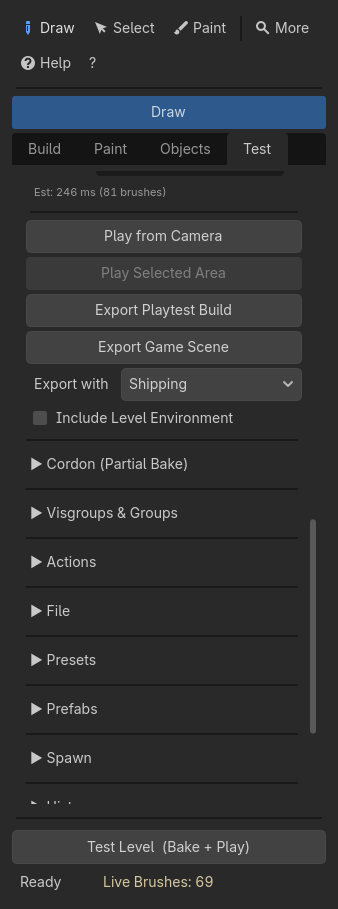
- Leave Export with on Shipping, or pick your own profile there.
- Press Export Game Scene in Test > Advanced Bake.
- Load the
.tscnit writes from your game. That is the level.
Everything under here is why, and what to do when the short version is not enough.
Which file is the level
A HammerForge level lives in three files, and they do different jobs.
| File | What it holds | Who reads it |
|---|---|---|
<level>.tscn |
The editing scene: the LevelRoot, the source brushes, the baked geometry. A big level can be saved as a binary <level>.scn instead (Performance and Limits) |
You, in the editor |
<level>.hflevel |
The canonical save: brushes, faces, materials, entities, visgroups, settings | HammerForge, on load |
<level>_game.tscn |
The export: baked geometry and real entity nodes | Your game |
The first two are the source. Keep both in version control — see Data Portability, which also explains what happens when they disagree.
The third is the build output. It is the one your game loads, and it is disposable: export it again whenever the level changes.
Why not load the level scene directly
You can, and for a greybox it is fine. The reasons not to, for a real game:
- It carries every source brush as a
DraftBrushnode alongside the baked geometry. The game pays to load nodes it will never draw. - It carries a
LevelRoot, which is an editor tool. It builds subsystems at_ready()that a game has no use for. - Entity markers stay markers. A
light_pointis aNode3Dwith an editor preview on it, not anOmniLight3D. A level scene has no lights in it.
That last one is the important one. Turning markers into the real Godot nodes they stand for is what the export is for.
What the export writes
Export Game Scene bakes, then writes a .tscn next to your level scene
named after it. It contains:
- the baked geometry and its collision;
Nonstructural, holdingfunc_detailmeshes, theArea3Dfor every trigger volume, and theClipCollisionbody that holds everyfunc_clipon the level's Physics Layer, with aClipCollision_Layer<N>beside it for each other layer a clip names;RampCollision, the slope a stair set to Ramp collision is walked on, in place of its steps' collision;- every point entity as the real node its class names:
light_pointas anOmniLight3Dandlight_spotas aSpotLight3D, hidden at load when its Start On Load is off,logic_timeras aTimerthat starts when the scene loads unless its Start On Load is off,prop_staticas the scene its Scene property points at; - an
HFIODispatcher, when any entity has I/O wiring, which connects the graph at_ready().
It does not contain a player, a fallback sun or a debug environment. Export Playtest Build adds those three, which is what makes it a playtest.
It bakes on the profile picked under Export with, which starts on Shipping, and then puts the level's own bake options back, with no undo step, so you carry on editing on Editing. Until it finishes, the Profile list and the options a profile sets do not change. Pick Level's own options there to bake on whatever the level is set to. The toast it ends with names the profile the scene was baked with, and warns when that is Editing.
Lighting
The export gives you real Light3D nodes. What it does not do is bake lighting,
because that is Godot's job and it needs a node HammerForge never adds.
For baked lighting:
Named static brush entities keep brush material overrides and use the same UV2 and LOD processing as the rest of the bake. Moving doors use Dynamic GI and stay out of static lightmaps. With Lightmap UV2 on, the bake warns with the path of each static mesh missing UV2.
- Turn on Lightmap UV2 in the bake options before exporting. Without it the
meshes have no UV2 and a
LightmapGIbakes them black. If the unwrap fails, the Console says so and names the mesh — do not ignore that line. - Open the exported scene, add a
LightmapGInode, and press Bake Lightmaps in Godot's toolbar. - Re-export only when the geometry changes, and re-bake lightmaps after.
For real-time lighting, do nothing extra. The lights are already there.
A sky, fog or ambient light belongs to a WorldEnvironment. Add one under the
level to see it while you build; Test Level and Export Playtest Build use it.
Export Game Scene leaves it out, because a game usually sets its own, unless you
tick Include Level Environment under the button.
bake_lightmap_texel_size (default 0.1) is the lightmap density. Smaller is
sharper and slower to bake. A brush's own Lightmap Scale, 0.125 to 8 under
Build > Selection Tools, multiplies that density for the meshes it bakes into,
so a floor the player looks at can have more texels than a ceiling nobody does.
Cast Shadows is On for the whole level by default. Set it for the level in the bake options, for a visgroup in the Visgroups section, or for the selected brushes in Selection Tools: Off, Double Sided, or Shadows Only for a caster that is not drawn. A brush's own choice beats its visgroups', and theirs beats the level's. The bake splits meshes so no mesh mixes two choices.
Bake options for a shipped level
The defaults are tuned for editing, where a fast bake matters more than a fast frame. For an export:
| Option | Editing | Shipping | Why |
|---|---|---|---|
| Merge meshes | off | on | One draw call instead of one per brush |
| Generate LODs | off | on | Costs bake time once, saves frame time forever |
| Lightmap UV2 | off | on, if you bake lighting | Nothing else produces UV2 |
| Use face materials | on | on | This is what keeps your texturing |
| Navmesh | off | on, if anything pathfinds | See the agent settings below |
| Occluders | off | on, for interiors | Occlusion culling needs them |
| Chunk size | 0 | above ~100 brushes | Lets Godot cull parts of the level. It does not make the bake shorter (Performance and Limits) |
Merge meshes and per-face materials work together: merging combines the meshes, and the materials stay as separate surfaces on the merged mesh.
The Profile list at the top of Test > Advanced Bake does the first two rows in one step. Shipping turns Merge meshes and Generate LODs on, and Editing turns them off again; Ctrl+Z undoes either. The rows that start with "if" depend on your game, so neither profile touches them. Set those once, type a name and press Save, and your own profile holds every option, ready for the next level. The list says Custom when the options match no profile.
One thing to know: a level with any cut brush in it falls back to the CSG bake path, because independent face triangulation has no boolean stage. Your texturing goes with it. A textured brush enters the boolean as a mesh with one surface per material and comes out still wearing them, so cutting a window does not cost the level its materials. What the CSG path does not do is the material atlas, so a level that leans on atlasing to cut draw calls loses that once it has a cut in it.
The interior a cut exposes — the reveal inside a window or a doorway — takes its texturing from the cutting brush, face by face, so a sill can differ from the jambs. Texture the cutter the way you texture anything else. A cutter left untextured leaves that interior bare, and a mirrored cutter stays untextured whatever you paint on it, because changing the operand would move the cut.
Things to turn off
auto_spawn_player is off by default and should stay off for a shipped
level. On, and outside the editor, a LevelRoot adds a debug FPS controller with
its own camera — beside whatever player your game has. It is also gated on the
build being a debug build, so a release export never takes it whatever the
property says.
Remote reload is gated the same way. It polls for an editor lock file, which only makes sense while somebody is editing.
Neither applies to the exported game scene, which has no LevelRoot in it at
all. They matter if you load the level's own .tscn directly.
Wiring that runs
A trigger volume raises its own outputs: trigger_once and trigger_multiple
fire OnStartTouch when a body enters and OnEndTouch when one leaves. A
trigger_multiple fires OnStartTouch again only once its wait has passed.
Every wait and wire delay runs in game time, so Engine.time_scale stretches
it and pausing the tree holds it.
Everything else is yours to raise, because it depends on something your game decides. Pressing a button is the usual case:
# In your player's interact code, once you know what was pressed.
HFIORuntime.press_button_on(button_node)
press_button_on() hands the button to the dispatcher of the level it is in, so
two levels loaded together each press their own. Its press_button() fires the
button's OnPressed unless it is locked or still inside its wait. The
playtest player does exactly this on its Use key, so Test Level is a working
demonstration of the whole loop.
See the I/O section of the User Guide for how an input reaches its target and what a class can declare about it.
Navmesh
If anything in your game pathfinds, turn Navmesh on before exporting, and set the agent settings to your actual agent. Six of them are in the Manage tab: cell size and height, agent height and radius, and Agent Climb / Slope.
The climb and the slope are the two to check, because the plugin builds the
things they measure. The climb is the tallest step an agent will walk up, and
the auto-connector's default step and Godot's default max climb are both 0.25,
so they sit exactly on each other. Raise the step for a chunkier stair without
raising the climb and nothing that follows the navmesh can use the staircase.
The slope is the steepest surface an agent will walk, 45 degrees by default,
and it is the one a painted level runs into first. A connector ramp rises the
height difference between two painted cells over one cell of run, so at the
default cell size anything more than about a metre of drop bakes a ramp the
navmesh will not accept. Ramp is the default connector mode and Auto is a ramp
below the stair threshold, so this is the usual case rather than the exotic one.
Bake Check reports both, and it works out the connectors the bake would actually build before it says anything: the staircases whose step is taller than the climb, and the ramps whose rise over a cell of run comes out steeper than the slope. Each warning names the worst one and the cell it starts from. Nothing is said about stairs in Ramp mode, where none get built, and a connector you placed by hand is measured whether or not auto-connectors are on.
The playtest player is separate and has its own max_step_height, defaulting to
0.4. A game with its own character controller needs its own step-up; Godot's
CharacterBody3D has none built in.
The bake tells you what it made. Every nav bake writes one line to the Console with the polygon count and what it parsed them from, which is the collision that same bake just wrote rather than the visual mesh. A region that comes out with nothing is a warning rather than silence, and it names which of the two things happened: nothing reached the parse, or the agent did not fit what did. Read that line before you export. An empty region looks exactly like a working one until something tries to walk on it.
Checklist
Before you call a level done:
- [ ] Level check is green, or you know why it is not
- [ ] A
player_startexists where you want the player to arrive - [ ] The level bakes with no warnings you have not read
- [ ] Exported on shipping options, not editing ones: Export with says Shipping, or your own
- [ ] Export Game Scene, not Export Playtest Build
- [ ] The exported scene loads in your game with no second player in it
- [ ] Lightmaps baked, if you are baking lighting
- [ ] The level scene (
.tscnor.scn) and.hflevelboth committed; the exported scene need not be
Knowing What the Player Is Standing On
A footstep sound, an impact decal, a bullet spark and a surface-specific reaction are all the same lookup: the game asks what the surface a ray or a move_and_slide() just hit is made of. HammerForge answers that from the texturing you already did.
The bake gives each material its own collision shape and writes the surface names onto the collision body, so the shape index a hit reports names the material that was hit:
var hit := space.intersect_ray(query)
var surface := HFSurface.material_from_hit(hit)   # "metal", "wood", "stone", ...
or, from a RayCast3D pointed at the floor:
var surface := HFSurface.material_under(ray)
HFSurface.names_on(body) gives every name on a body, in shape order, which is how you check a footstep table covers the level rather than finding a gap the first time somebody walks on the roof.
A name is the material's resource_name, or its filename when it has no name, which is what the Materials tab shows you. An unpainted surface is <none>. Anything the lookup cannot answer is an empty string, so a table can hold a row for it.
The per-brush collision modes cannot answer. bake_collision_mode 1 and 2 build one convex hull per brush, and a brush has six faces with six materials, so those bakes carry no names and every lookup returns the empty string. That is deliberate: naming one of the six would be worse than saying nothing.
Why the shape index and not the triangle. Godot documents face_index on a ray hit, which would resolve to a single triangle and would be the better answer. It is -1 here, from both intersect_ray() and RayCast3D.get_collision_face_index(), because this project runs Jolt. The shape index is what survives a hit, so the bake is arranged to make it meaningful. There is a test pinning that, so if a Godot release starts populating face_index it fails rather than the better route going unnoticed.
Friction and Bounce
A baked surface has Godot's default friction and bounce. Texturing a floor ice names it ice. It does not make it slippery. Nothing in HammerForge sets physics_material_override on anything it bakes, so every surface in every level it produces slides and bounces exactly the same way.
That is a decision rather than a gap. A PhysicsMaterial belongs to the body, and a level has one body while it has a dozen materials, so there is no arrangement in which "the floor is ice and the wall is rubber" falls out of the texturing. Deriving it anyway would mean guessing: a mapper who reaches for a texture called ice is picking how the floor looks, and is not necessarily asking for the physics of ice. So the naming is HammerForge's job and the tuning is yours.
There are two ways to do the tuning, and they answer different questions.
Most of the time, you want the reaction, not the friction. Slowing a player on mud, adding drag on ice, a different jump off metal grating: that is your controller reading the surface name and applying its own numbers. This works on any bake, with no options set, and it is the one to reach for first.
var surface := HFSurface.material_under(_floor_ray)
var friction: float = SURFACE_FRICTION.get(surface, 1.0)
velocity.x = move_toward(velocity.x, 0.0, friction * delta)
Your table lives in your game, where the tuning is, and one line changes how ice feels without re-baking a level.
When you want the engine to do it, put the surfaces that need their own physics into their own visgroup and bake with bake_collision_mode set to 2. That mode builds one StaticBody3D per visgroup, named Collision_<visgroup>, and a body is what physics_material_override goes on:
var ice := $BakedGeometry/Collision_ice as StaticBody3D
ice.physics_material_override = preload("res://physics/ice.tres")
Rigid bodies and anything else the engine resolves friction for will then behave without your code being involved.
The two do not combine. Mode 2 is one hull per brush grouped into bodies, so it carries no surface names and HFSurface returns the empty string on it, as the section above says. Pick the reaction or pick the engine, per level.
Neither is set up for you. A level you bake and ship with no further work has uniform default physics, and that is the behaviour to design around until you do one of the two.